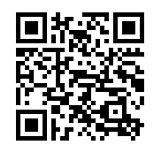



Official OKX App Download Channels and iOS Version Acquisition Methods
Acquiring a genuine digital asset trading client is the first step to ensuring the security of your digital assets. For iOS users, due to regional policy restrictions in the Apple App Store, downloading mainstream overseas trading applications typically requires logging into the App Store using an Apple ID from a region outside of mainland China. After switching to an overseas Apple ID that supports the application, users can search for "OKX" directly in the App Store to download it. Before downloading, be sure to verify the application developer information, confirming that the official development entity is "OKX MALTA LTD" to prevent mistakenly downloading counterfeit or phishing applications. In addition, never log in using shared Apple ID accounts provided by unofficial channels to avoid personal privacy leaks or device locking.
Official Android Version Download Channels and APK Acquisition Specifications
Download channels for Android users are relatively flexible, primarily obtained through official designated pathways. Users can directly visit the OKX official website, use the QR code provided on the page to scan and download, or obtain the latest APK installation package file through the officially published secure download page. Meanwhile, in the Google Play Store, users in certain regions can also directly search for and download the official genuine application. For users who cannot obtain it directly through the app store, when downloading the APK from the official website, they must verify the file's integrity and source, avoiding downloading tampered installation packages from unknown third-party forums to prevent malware implantation.
System Security Prompts and Responses During Android Phone Installation
When installing APK files downloaded from the official website on some mainstream Android phones (such as Huawei, Honor, Xiaomi, etc.), the system often triggers strict security protection mechanisms, prompting "unknown source applications" or containing security risks. To complete the installation smoothly, users need to make temporary adjustments based on the phone system's prompts. Common operations include enabling the "Allow installation of apps from this source" permission in system settings, or turning off the system's "Pure Mode" or "Enhanced Protection" during installation. In some cases, disconnecting mobile network or Wi-Fi and performing the installation in an offline state can effectively bypass cloud-based malware false-positive blocks from certain systems. After the installation is complete, it is recommended to re-enable various security protection functions of the system to ensure the overall security of daily smartphone usage.
Historical Version Rollback and Client Security Recommendations
During daily use, some users may need to find historical versions such as V6.3.8 for rollback due to lower smartphone hardware configurations, outdated operating system versions, or compatibility issues with new versions. Although third-party historical version distribution platforms such as Uptodown exist on the internet, from the perspective of asset security, the official consistently recommends that users prioritize using the latest genuine client. Older versions often lack the latest security vulnerability patches, cryptographic algorithm upgrades, and functional optimizations. For the absolute security of accounts and funds, users should regularly update the application through official channels, properly safeguard account login credentials, Google Authenticator codes, and fund passwords, and never blindly trust any so-called "internal download links" or "quick upgrade channels" published by any unofficial groups.