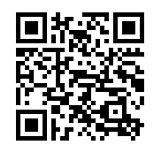



How to Obtain a Binance Deposit Address
Binance, as one of the world's leading cryptocurrency exchanges, provides users with a convenient deposit feature. Obtaining your deposit address on Binance is the first step to receiving transfers from others or moving assets from other wallets.
The operational procedure is as follows:
- Log in to your account: Visit the official Binance website or open the App, and log in using your account credentials.
- Navigate to the deposit page: In the user interface, locate and click on the "Funds" or "Wallet" option, then select the "Fiat and Spot" account.
- Select the coin and network: On the deposit page, search for the cryptocurrency you wish to deposit (e.g., USDT, BTC, ETH, etc.). The system will list all supported deposit networks for that coin (such as ERC20, BEP20, TRC20, etc.).
- Copy the address: After selecting the network that matches your withdrawal source wallet, the page will display a unique blockchain address (a string of letters and numbers). Click the "Copy" button to obtain the address.
Please note that the address for each coin varies across different networks. Always ensure that the network of the address you copy matches the withdrawal network chosen by the sender completely.
Operation Guide for Withdrawing from TokenPocket to Binance
TokenPocket (TP Wallet) is a decentralized wallet supporting multiple blockchains. Transferring assets from TokenPocket to Binance is essentially executing a blockchain transfer.
Preparation before operation: You need to have assets stored in your TokenPocket wallet and have obtained the deposit address for the corresponding coin and network on the Binance platform by following the steps above.

The specific steps are as follows:
- Open TokenPocket and select the network: In TokenPocket, ensure that your currently switched network matches the network of the Binance deposit address. For example, if you copied a BEP20 (BNB Smart Chain) USDT address from Binance, you need to switch the network in TokenPocket to "BSC" (BNB Smart Chain).
- Initiate the transfer: In the asset page of TokenPocket, find the coin you want to transfer out and click "Transfer" or "Send".
- Fill in the recipient information: Paste the deposit address previously copied from Binance into the "Recipient Address" or "To" field. The system usually recognizes the network automatically, but please double-check to confirm.
- Enter the transfer amount: Fill in the quantity you wish to transfer. TokenPocket will display the estimated miner fee (network transaction fee).
- Confirm and send: Carefully review all information, especially the recipient address and network. Once confirmed correct, enter your wallet password or complete biometric verification to finalize the transaction.
Core Security Tips and Common Mistakes to Avoid
When executing blockchain transfers, security is the primary consideration. The following key points will help you avoid asset losses:
- Network consistency is the lifeline: The most common mistake is selecting the wrong network. For example, sending ERC20 USDT to a BEP20 receiving address will result in permanent loss of funds. Always ensure that the network protocols (such as ERC20, BEP20, TRC20) chosen by both the sender and the receiver match completely.
- Address verification: Blockchain transactions are irreversible. Before sending, be sure to carefully verify every single character of the recipient address. It is recommended to use the copy-and-paste function to avoid manual entry.
- Small-amount testing: For newly used addresses or before making large transfers, it is strongly recommended to send a small amount first to test and confirm that the entire process goes smoothly and the address is correct.
- Monitor network status and gas fees: When the blockchain network is congested, transaction confirmations may slow down, and gas fees may rise. Choosing an option with a higher fee usually helps speed up confirmation.
After completing the transfer, you can view the transaction hash (TxID) in TokenPocket and use a blockchain explorer (such as BscScan, Etherscan) to check the transaction confirmation status. Assets usually require several block confirmations to arrive in your Binance account, taking anywhere from a few minutes to an hour depending on network congestion.